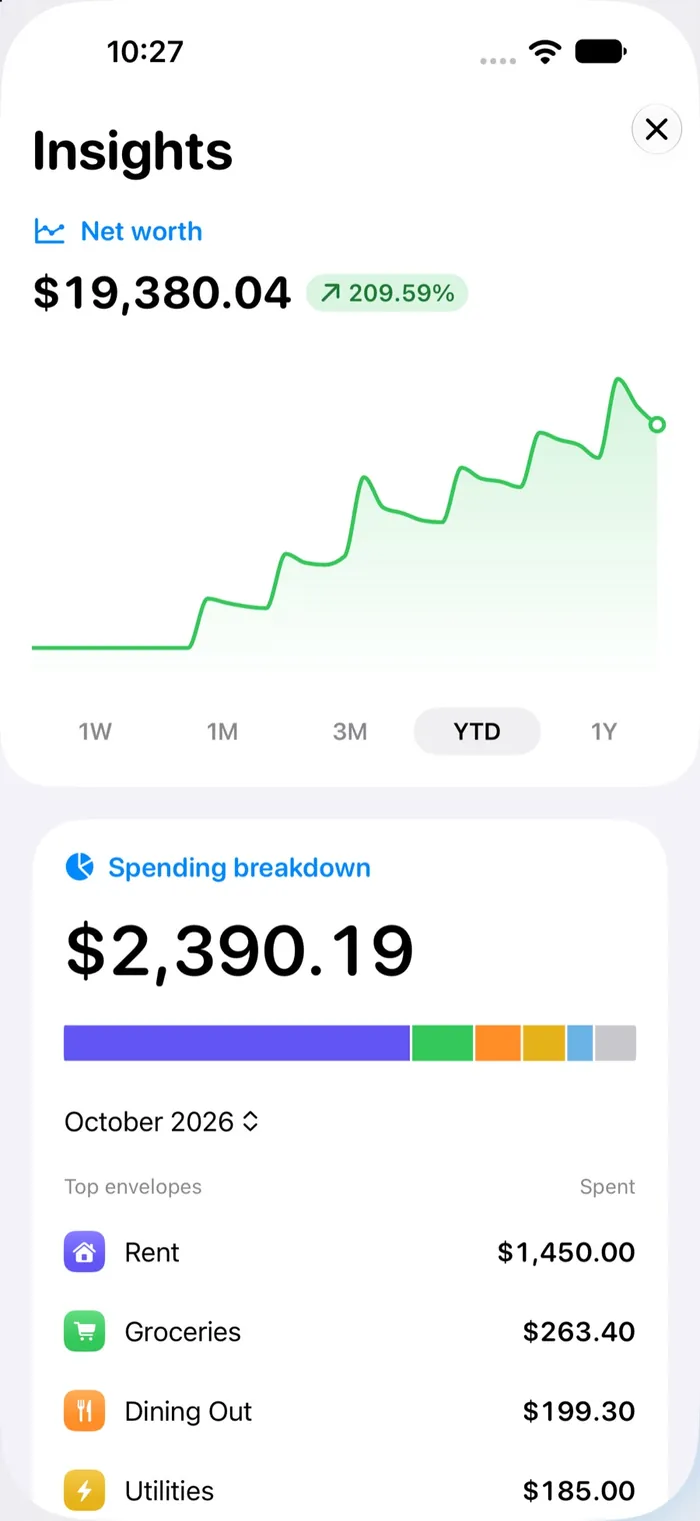
Bow app icon

The envelope budget app for iPhone

Aim every dollar.

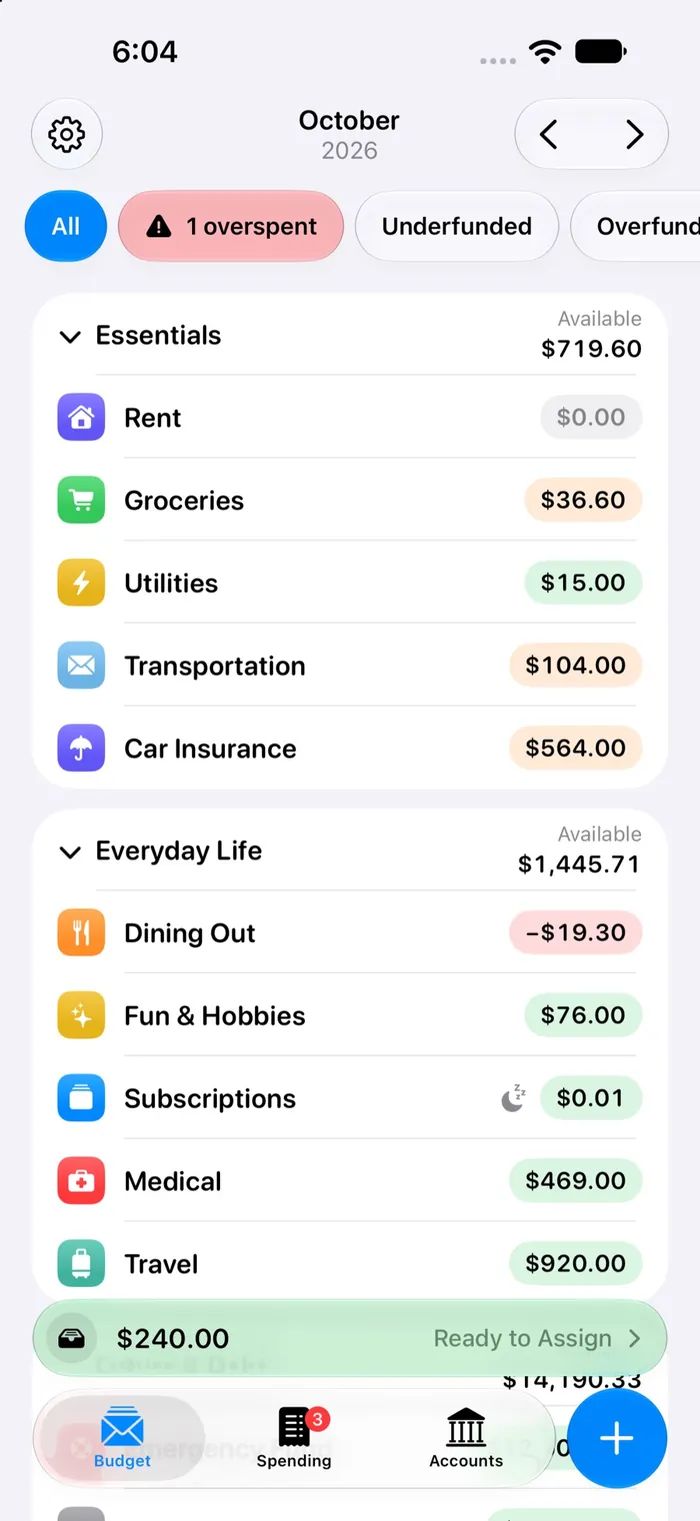
Put the money you have into envelopes for rent, groceries and everything else, then spend from them. You’ll always know what’s left.

Download Bow on the App Store

Free for 2 weeks, then $49.99 a year.
Or buy it once for $129.

How it works

It’s the cash-in-envelopes method, without the cash. You only budget money you already have.

  1. 1

    Money comes in.

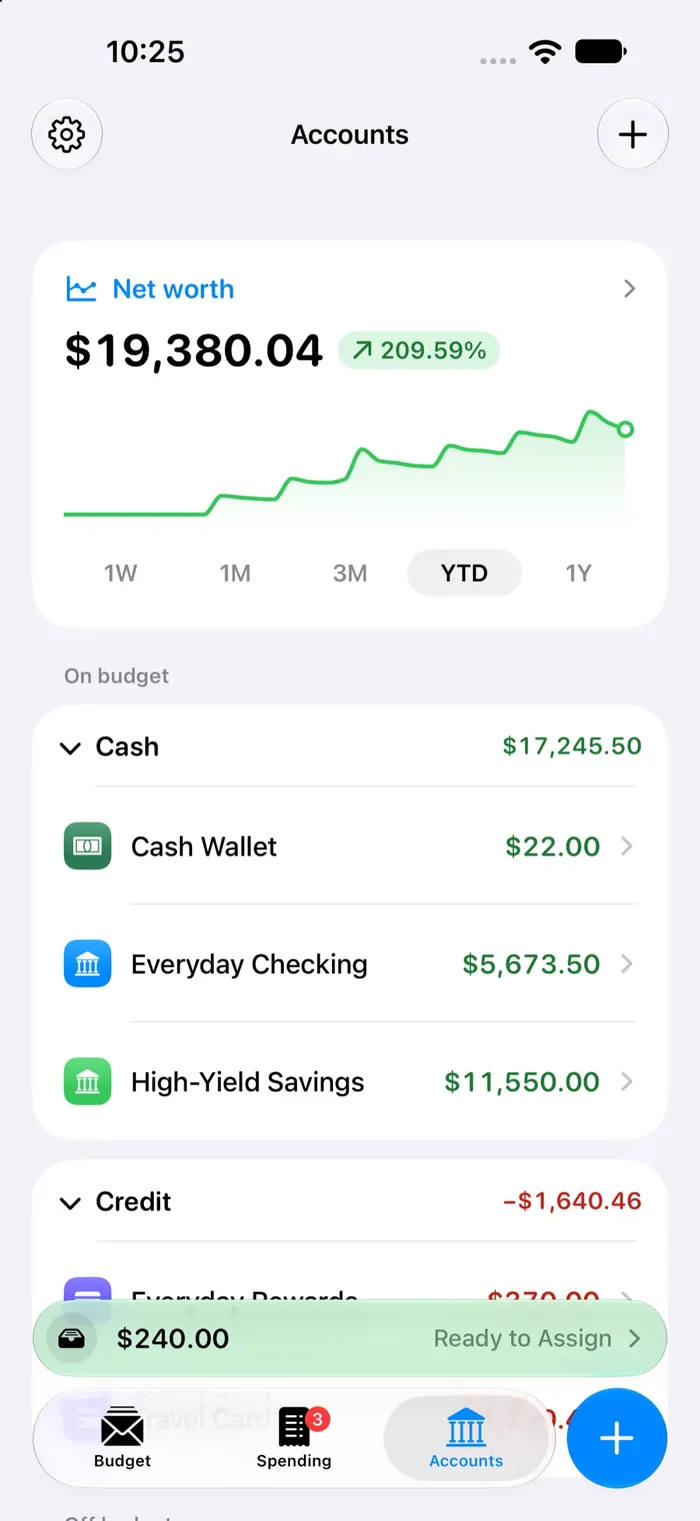
    Your paycheck lands in Ready to Assign: money you have that hasn’t been given an envelope yet.

  2. 2

    You assign it.

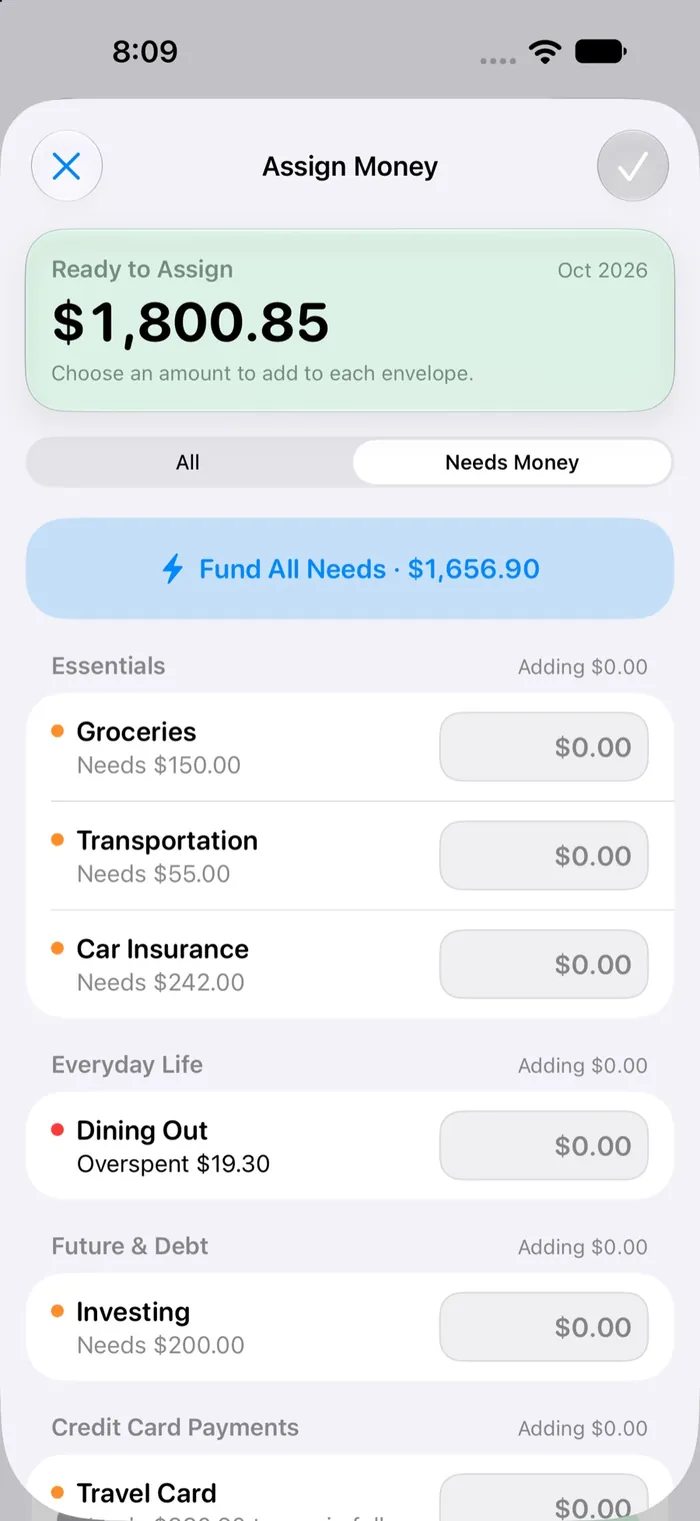
    Move it into envelopes until Ready to Assign is zero. Fund All Needs fills every envelope’s target in one tap.

  3. 3

    You spend from envelopes.

    Each purchase comes out of its envelope. If one goes negative it turns red, and you cover it from another.

Targets tell you what to set aside.

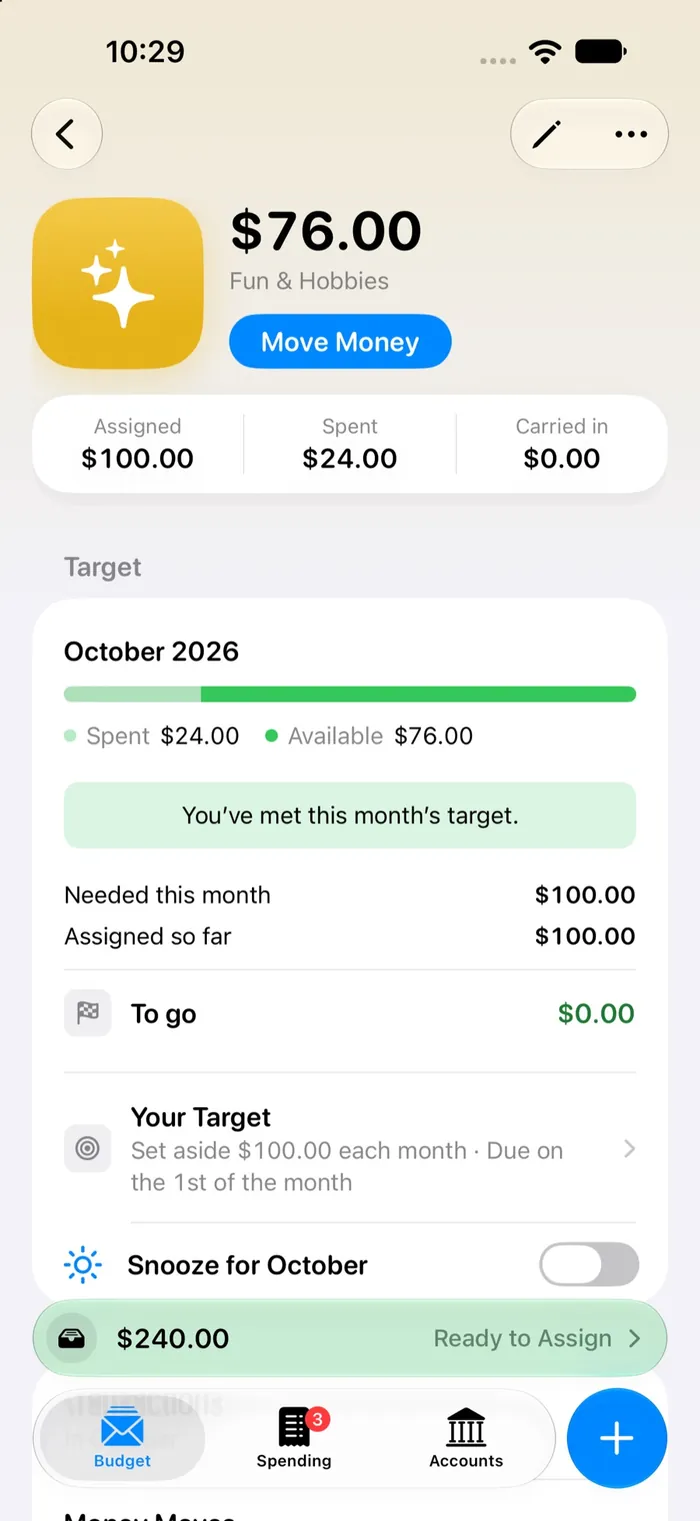
Give an envelope a target: $100 every month, $540 for car insurance by December, or a bill on its due date. Bow shows what’s needed this month and how much is left to go. Not this month? Snooze it.

  • Suggested targets based on your last six months of spending
  • Scheduled bills add to their envelope’s target, and yearly ones are spread across the months before they’re due

Log a purchase in a few seconds.

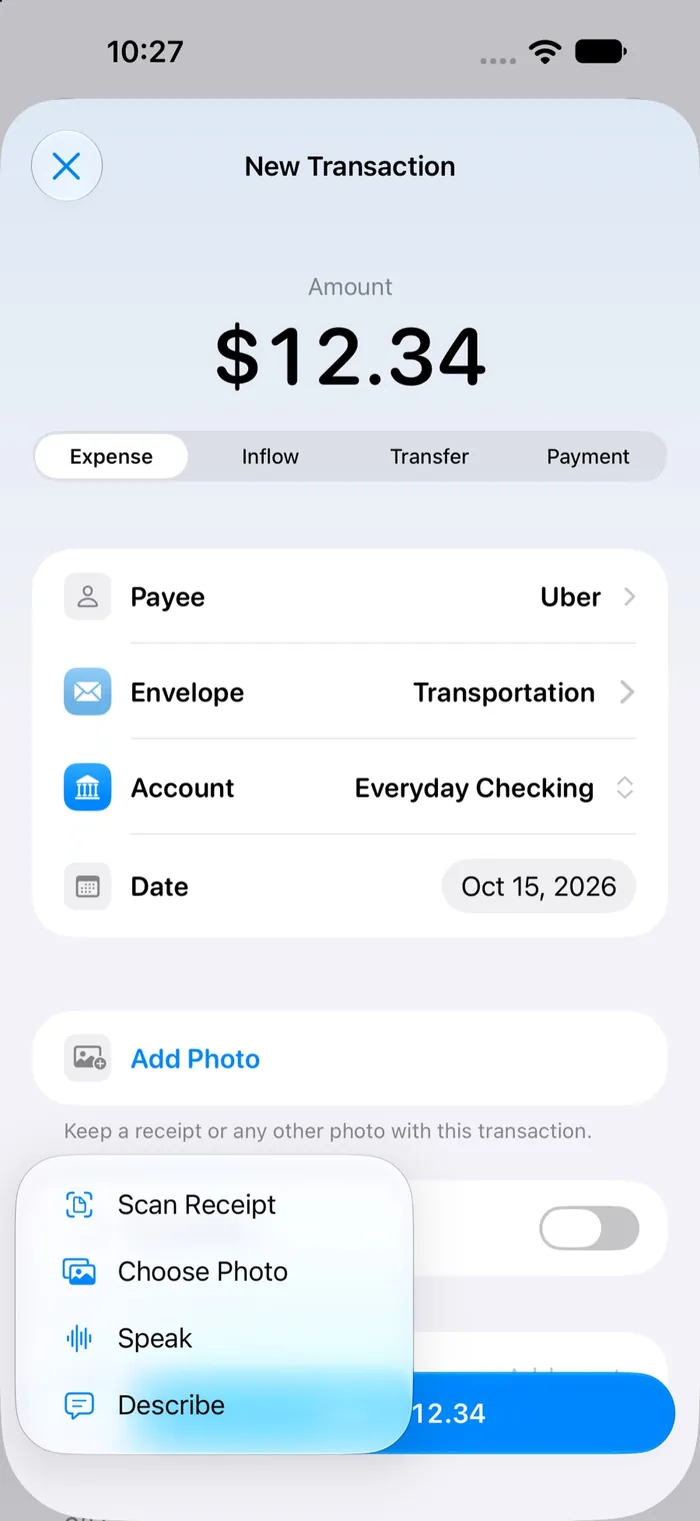
Pick the payee, envelope and account, or let Bow fill them in. Scan a paper receipt, choose a photo, say it out loud, or describe it in your own words. Apple Intelligence does the reading on your iPhone, and you check everything before it’s added.

  • Or ask Siri: “Log an expense in Bow.”
  • Share receipts and order emails to Bow from any app

Bank sync, if you want it.

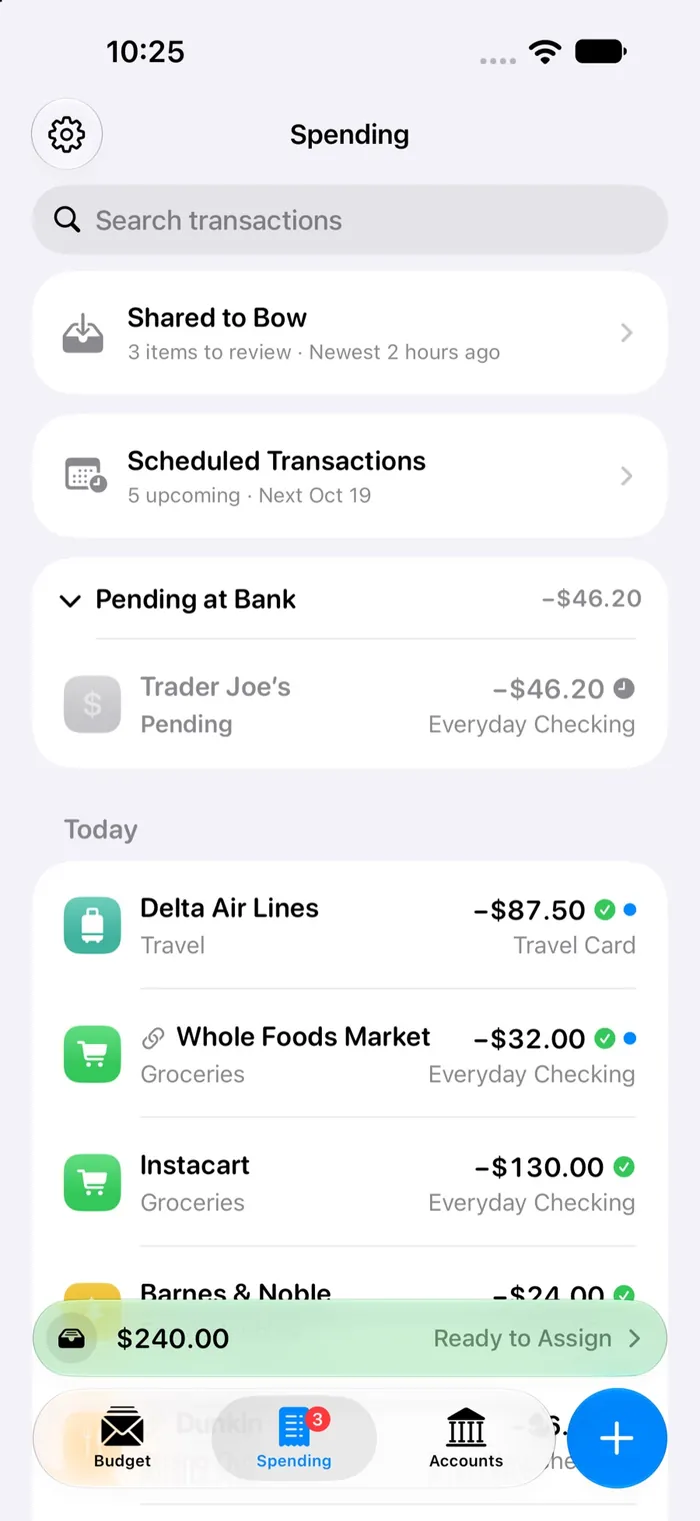
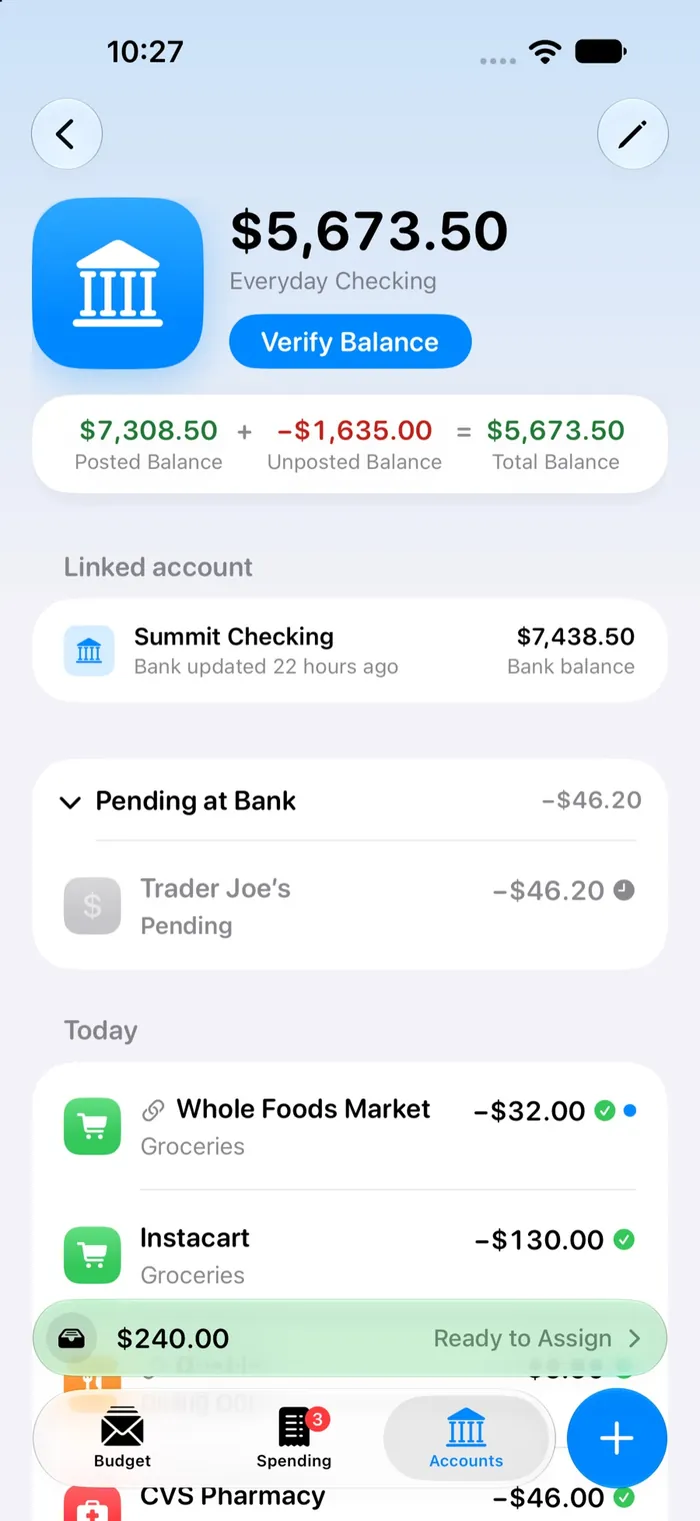
Connect your bank through SimpleFIN Bridge and posted transactions come in about once a day, matched to the payees and envelopes you usually use. Pending charges, things you’ve shared to Bow and upcoming bills wait at the top.

  • Read-only: bank sync can bring in transactions but can’t move money.
  • Rather enter everything yourself? That works too.

Made for iPhone Duo.

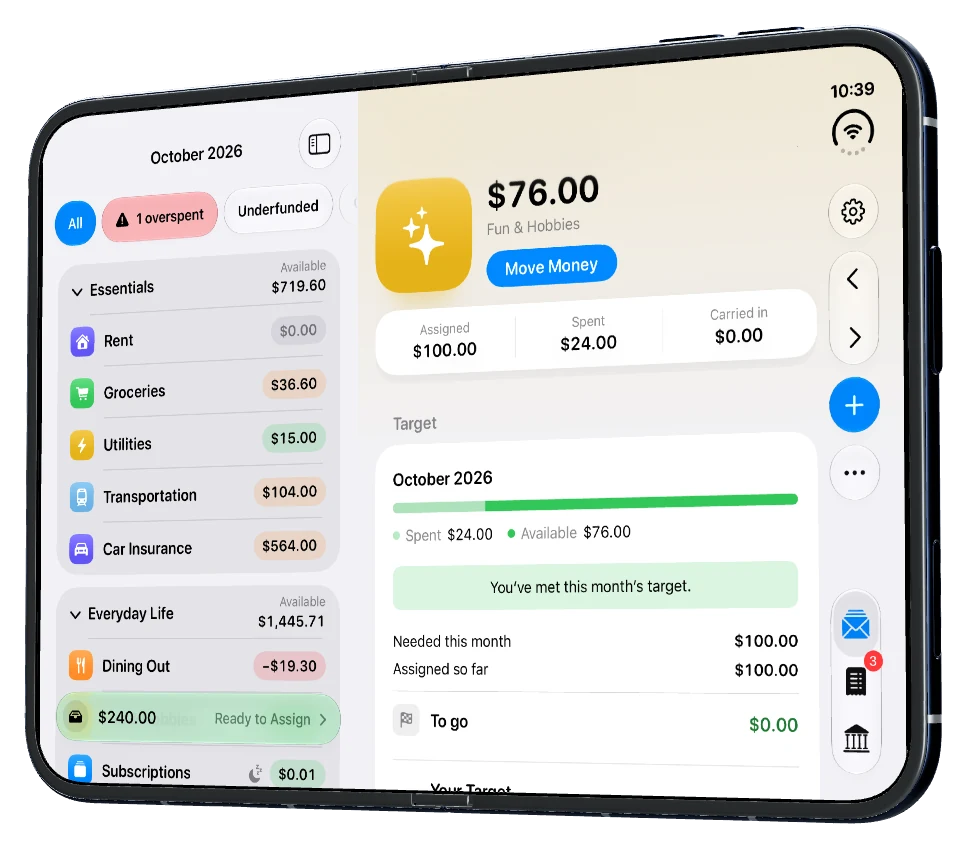
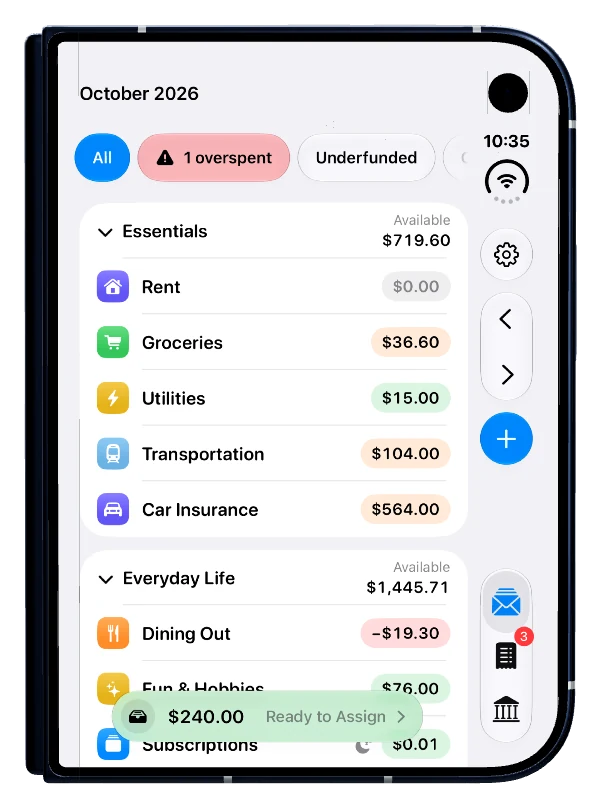
Unfold it, and an envelope opens next to the list, so you can check one, move money and pick the next without going back. Bow fits the outer display too, from setup onward.

Bow open on iPhone Duo: the envelope list beside the Fun & Hobbies envelope and its target
Tap an envelope or account, and its details open right beside the list.
Bow’s Budget screen on iPhone Duo, with its buttons in a bar along the side
Tabs and buttons sit in a slim bar on the side, so your envelopes get more of the screen.

Also in Bow

Credit cards stay paid
Spend on a card and Bow moves the money to that card’s payment envelope, so the statement is already covered.
Coming from YNAB
Import your YNAB export. Your categories become envelopes, and your accounts come along.
Recurring transactions
Rent, paychecks and subscriptions can enter themselves on schedule, and stop after a number of payments or on a date.
Payment plans
Share a Klarna, Affirm or Afterpay screenshot and Bow schedules each payment, ending after the last one.
Split transactions
One receipt, several envelopes.
Search in your own words
Type “pet care last month” and Bow finds the purchases.
iCloud sync and backups
Your budget stays current on every iPhone signed in to your Apple Account. Export a CSV or a full backup anytime.
Face ID lock
Lock the app, and hide amounts when someone’s looking over your shoulder.
Reminders
Optional bill reminders and a daily or weekly check-in. All off until you turn them on.
Your budget stays with you.

  • There’s no Bow account to create. Your budget lives on your iPhone and in your iCloud.
  • Apple Intelligence features run on your iPhone. Your receipts and transactions aren’t sent to anyone’s servers to be read.
  • Bank sync is optional, read-only and can’t move money. You sign in to your bank through SimpleFIN, not in Bow, and the connection is saved only on your iPhone.
  • If your plan ends, your budget turns read-only. You can still open it, search it, export it and back it up.

How Bow works without linking your bank

Pricing

Every plan includes everything. Before your trial starts, Bow shows the date and amount of the first charge, and can remind you three days before it.

Annual

$49.99 a year

About $4.17 a month. Starts with a 2-week free trial.

Monthly

$6.99 a month

Starts with a 2-week free trial.

Lifetime

$129 once

One payment. No subscription.

Download Bow on the App Store

Prices in US dollars; the App Store shows your local price. Subscriptions renew until you cancel in your Apple Account settings. Bank sync needs a separate SimpleFIN Bridge account, which has its own small yearly fee.

Questions

Something else? Get in touch.

What is envelope budgeting?

You split the money you have into envelopes, like rent, groceries and savings, before you spend it. A purchase comes out of its envelope. If an envelope has money, you can spend it. If it’s empty, you move money from another one first.

Do I have to connect my bank?

No. Plenty of people enter transactions themselves, with Siri, or by scanning receipts. If you want them to come in automatically, connect your bank through SimpleFIN Bridge, which has its own signup and a small yearly fee.

What happens when my free trial ends?

If you keep your subscription, you’re charged the amount Bow showed when you started. If you cancel, your budget becomes read-only. It’s never locked: you can still view, search, export and back it up.

Where is my data stored?

On your iPhone and in your own iCloud. There’s no Bow account and no Bow server holding your budget.

Do I need Apple Intelligence?

No. Budgeting works the same without it. On an iPhone with Apple Intelligence, Bow can also fill in transactions from receipts, photos, your voice or a description, and search your spending in your own words.

Can I switch from YNAB?

Yes. Choose “Coming from YNAB?” when you first open Bow and import your YNAB export.

Is there an iPad or Mac version?

Not yet. Bow is made for iPhone, including iPhone Duo, and your budget syncs between your iPhones through iCloud.